Method 1 — Change a font directly on a text element
This is the quickest way to change a font on a single element.
Click on the text element on the canvas to select it
In the right panel, find the Text section
Click the Font dropdown and choose a new font
You can also adjust Weight, Size, Line height, and Letter spacing from the same panel
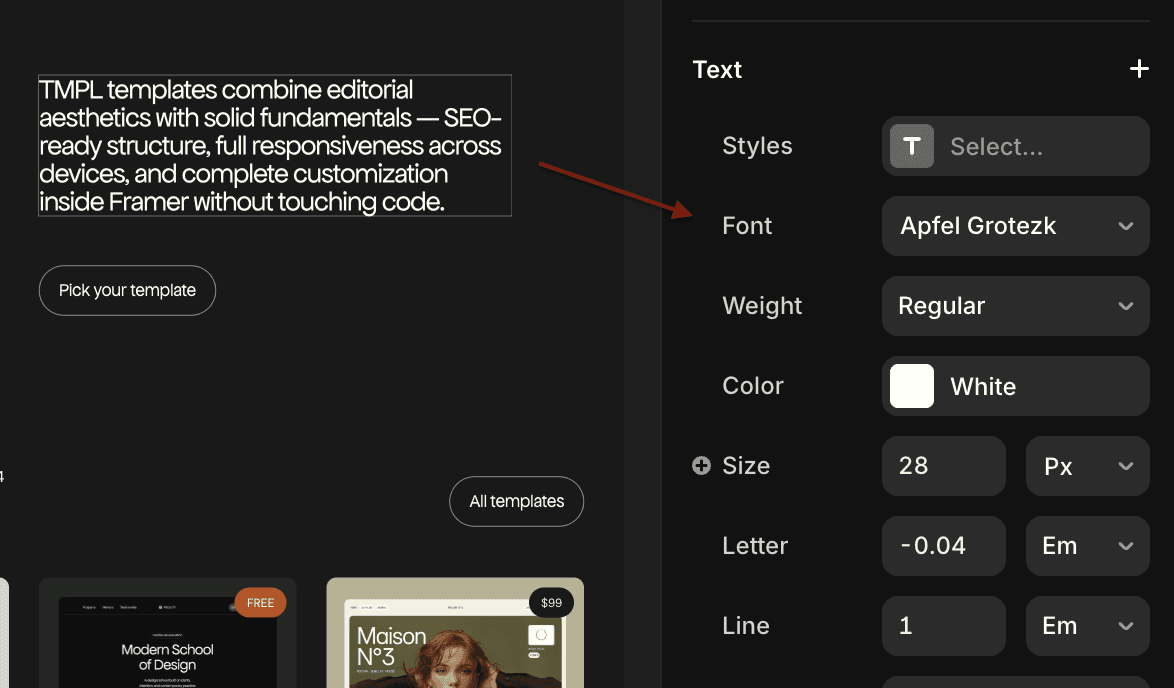
This works for one-off changes — a headline, a label, a specific block of text. But if you have the same font style applied in many places, changing each element individually takes time.
Method 2 — Change fonts using global text styles
Text styles let you define a font once and apply it everywhere. When you update the style, every element using it updates automatically — across all pages.
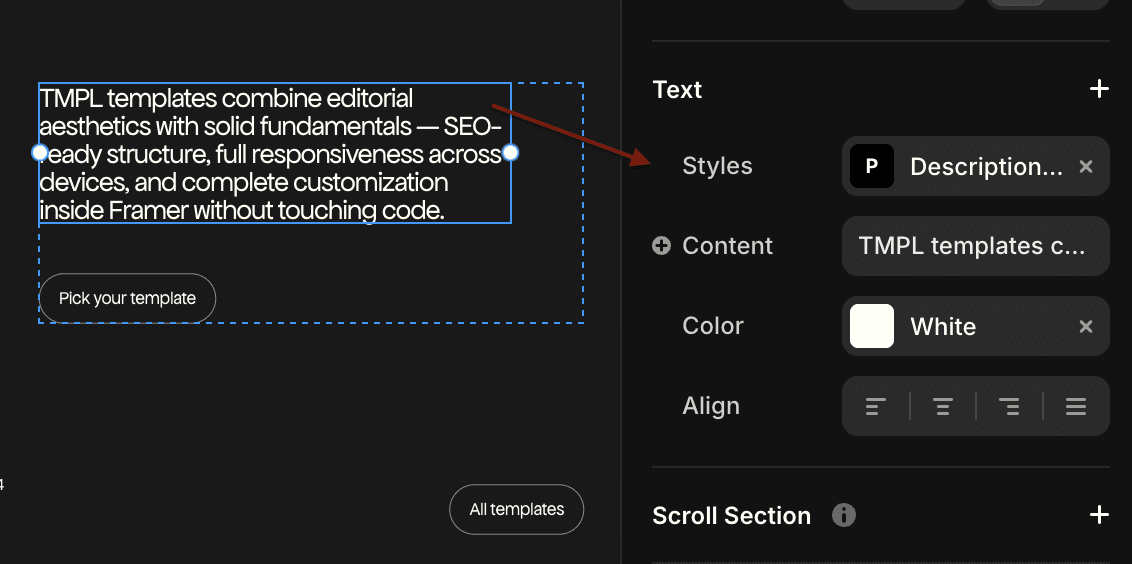
To set up or edit text styles
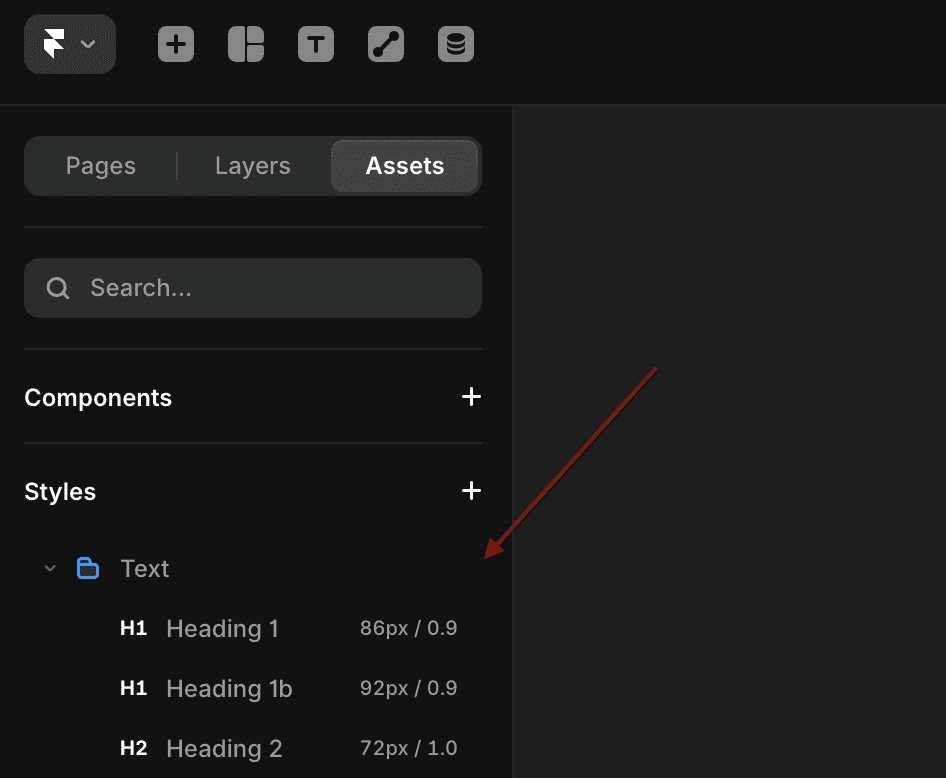
Open the Assets panel in the top left corner
Scroll down to Styles → Text
You'll see all the text styles defined for your project — H1, H2, body, description, etc.
Click on a style to edit it — change the font, size, weight, line height
Every text element using that style updates instantly
To apply a style to a text element
Select the text element
In the right panel under Text, click the Styles field
Choose the style you want to apply
Which method should you use?
If you're working with a template — always use styles. TMPL templates (and most well-built Framer templates) have global text styles set up. Changing the font in Assets → Styles → Text updates typography across the entire site in seconds.
If you create a new text style instead of editing an existing one, you'll have to manually apply it to each element. Always edit the existing styles, not create new ones.
What fonts are available in Framer?
Framer gives you access to the full Google Fonts library. You can also upload custom fonts in Site Settings → General → Custom Fonts if you're using a font not available on Google Fonts.
Working with a Framer template and want to customize the typography? TMPL templates use global text styles — change the font once in Assets and it updates everywhere. Browse the collection.