What is a Remix link?
A Remix link is a special URL that copies a Framer project directly into your account. When you click one, Framer creates an exact duplicate of the template in your workspace — ready to edit and publish.
You need a Framer account to use a Remix link. If you don't have one, create a free account here — it takes under a minute.
Remix links are not one-time use. The same link works multiple times and for multiple people.
How to use a Remix link (as a buyer)
When you purchase a Framer template — from the Framer Marketplace or a third-party store like TMPL — you receive a Remix link immediately after checkout.
Click the Remix link from your purchase confirmation
Make sure you're logged into your Framer account
The template opens in Framer and is saved to your workspace automatically
Start editing
That's it. No downloads, no imports, no setup.
How to get the Remix link for your own project
If you've built something in Framer and want to share it — as a template, a component, or a starting point for a client — you can generate a Remix link from your project:
Open your Framer project
Click the Framer logo in the top left corner
Go to File
Click Copy Remix Link
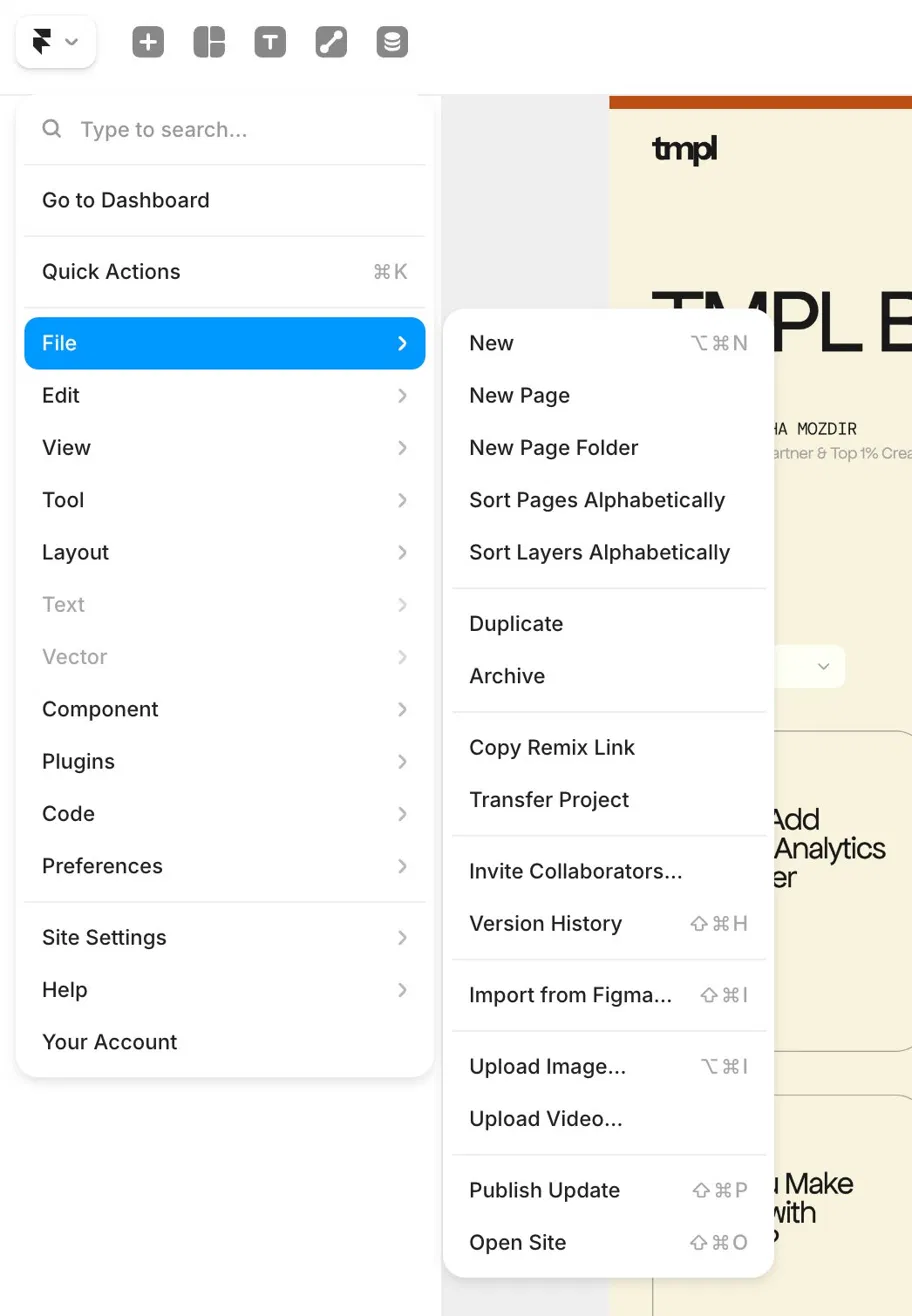
The link is now in your clipboard. Share it with anyone — they can open it and get a copy of your project in their own account.
Who can use your Remix link?
Anyone with a Framer account. The link doesn't expire and can be used multiple times. If you're selling templates, your checkout platform (Lemon Squeezy, Polar, Dodo Payments) delivers this link to buyers automatically after purchase.
Looking for Framer templates with a Remix link included? Every TMPL template comes with a Remix link delivered instantly after purchase. Browse the collection