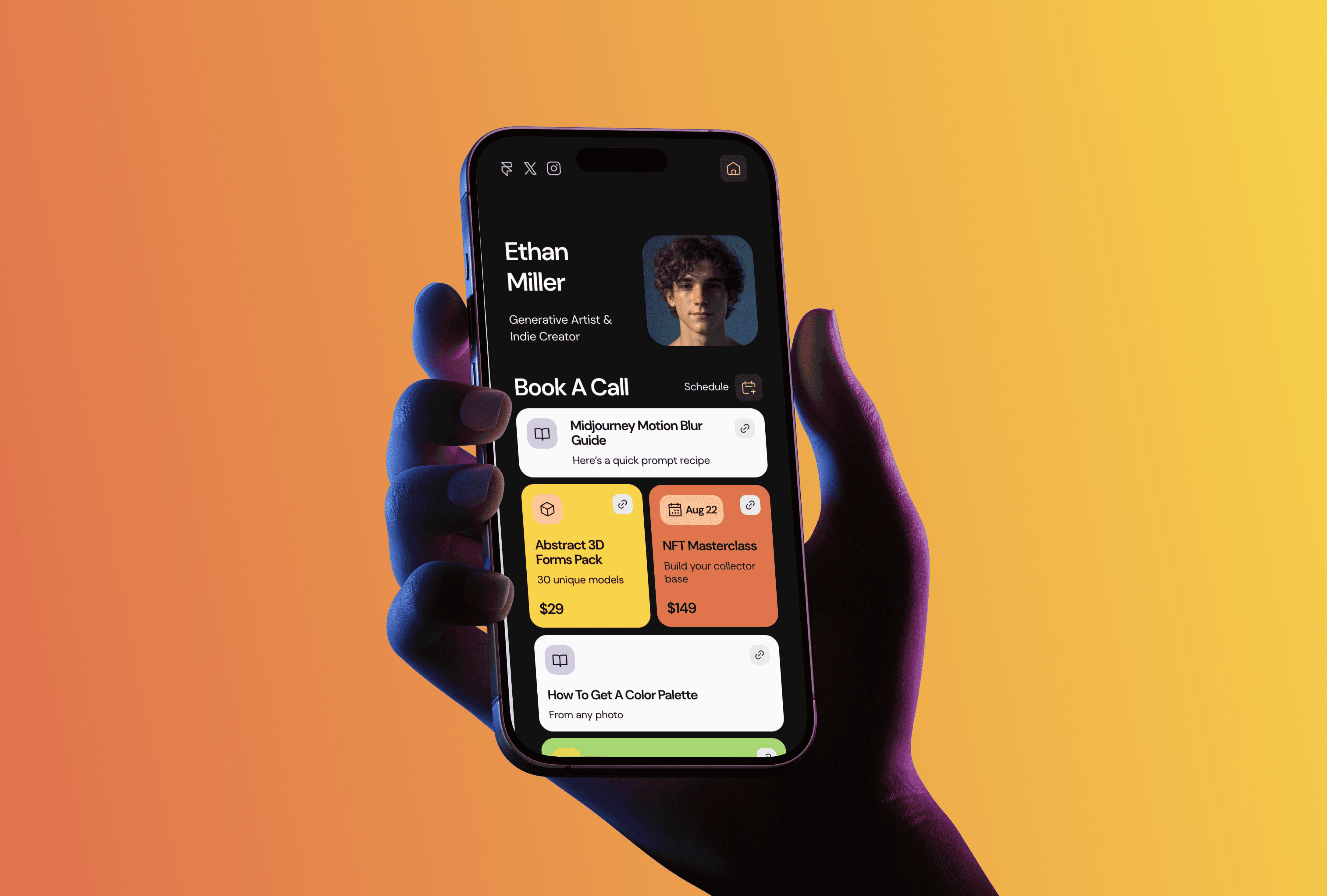
Most restaurant websites fail at the same thing: the menu is a scanned PDF that takes ten seconds to load on a phone and can't be read by Google at all. Meanwhile the menu is the one thing every visitor came for. I run TMPL, a small studio of Framer templates, and Detox Cafe is the template I built to fix exactly this. Below is how it works, plus two other templates from my collection that cover a restaurant's less obvious needs: the pre-opening waitlist and the Instagram bio.
Detox Cafe: a menu your staff can actually update
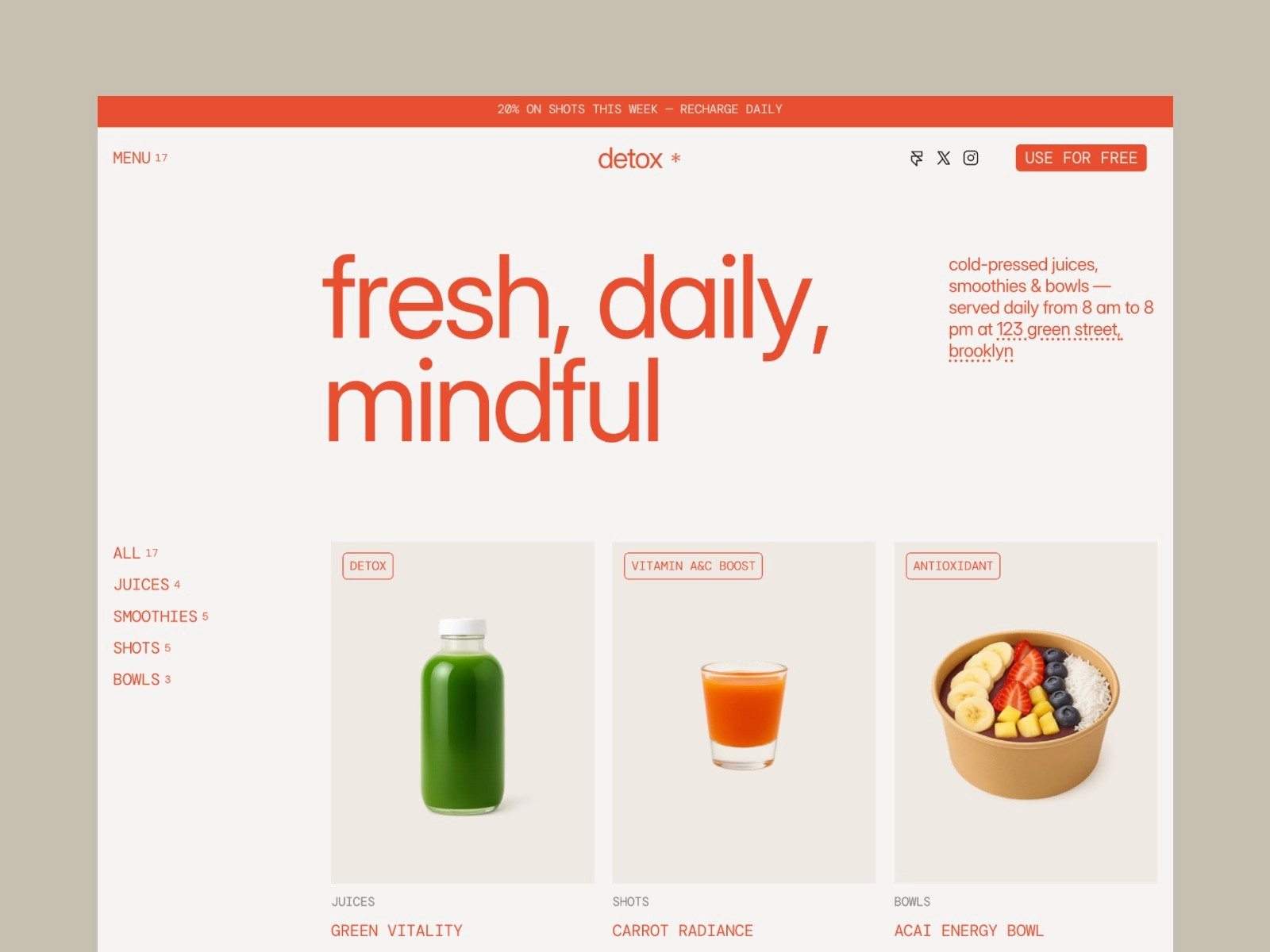
Detox Cafe is a free restaurant and cafe template. Four pages: Home, Menu, a CMS page for individual dishes, and a 404. The part that matters is the CMS. Every dish is an entry with a photo, price, and description, and the Menu page builds itself from those entries. When the seasonal menu changes, whoever runs your Instagram can update the site from a browser in five minutes. No designer, no "can you send the new PDF to the web guy."
I designed it for restaurants, juice bars, and cafes that care how their food looks on screen. The animations are calm and don't get in the way of someone who just wants to check if you serve breakfast. It's responsive, so the phone experience (which for a restaurant is most of your traffic) is the default, not an afterthought.
Because each dish gets its own CMS page, the template also works as a QR menu. Print a code for the tables, point it at the Menu page, and you've replaced the laminated card.
Foyer: for the restaurant that hasn't opened yet
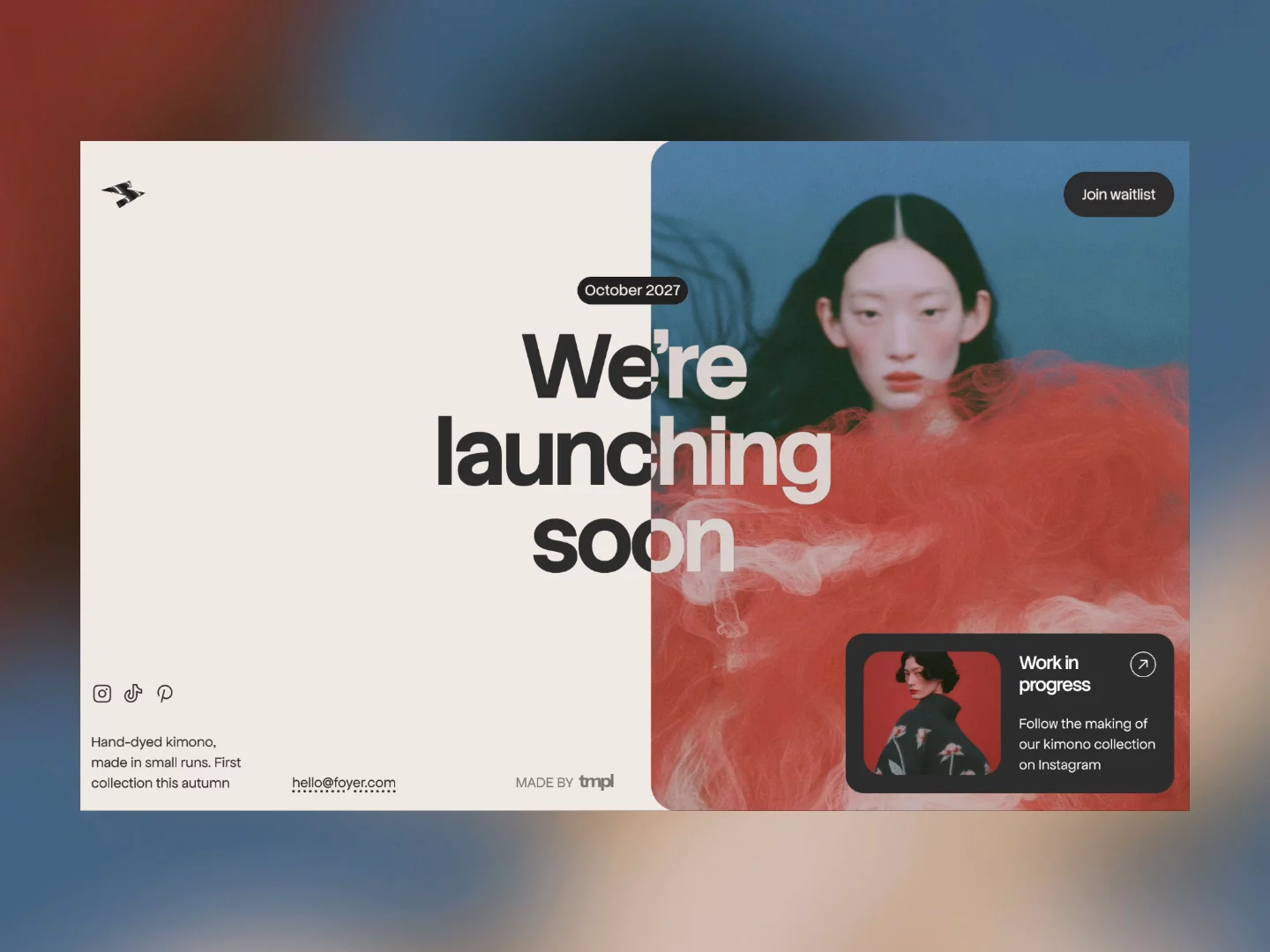
There's a stretch before opening night when you have a name, a location, and nothing to show. Foyer is a free one-page template for exactly that stretch. It has an email signup in a modal, a launch date badge, and a link card you can point at your Instagram. I originally built it with fashion labels in mind, but the shape is the same: one page, one action, and a mailing list that starts filling before the doors open. You can have it live in an afternoon, then switch to Detox Cafe when the kitchen is ready.
LinksPage: if Instagram is your real website

Plenty of cafes live on Instagram and only need somewhere for the bio link to go. LinksPage is a free link in bio template with modular cards: menu, reservations, delivery apps, events. It loads fast and looks considerably better than the generic link tools. If that's your situation, I wrote more about this approach in Framer Link in Bio Template.
What a restaurant site actually needs
Before you pick anything, a short checklist from someone who has looked at a lot of these sites. Hours and address belong near the top of the first screen, because half your visitors only want those two facts. The menu should be text on a page, not a file download. And the site has to be editable by whoever is actually there on a Tuesday, which is the argument for a CMS over a hand-built site.
Setup is the same as any Framer template: duplicate it into your account with the remix link, then click on things and type. I wrote a separate guide on how to edit a Framer template if you want the steps in order. Publishing on a free framer.website subdomain costs nothing; a custom domain like yourcafe.com needs a paid Framer plan, which starts at $10 a month on annual billing. Full numbers are in How Much Does Framer Cost.
Detox Cafe, Foyer, and LinksPage are all free. If you want the paid templates too, All Access costs $199 as a lifetime deal (regular price $249). It covers all seventeen current TMPL templates plus everything I release in the future, with unlimited site usage.
FAQ
Is Detox Cafe really free? Yes. You duplicate it into your Framer account with all four pages and the menu CMS included. Publishing on a custom domain requires a paid Framer plan. I explain what free actually covers in my free templates guide.
Can I update the menu without a designer? Yes. Dishes are CMS entries. You open the collection, change a price or add a dish, and the Menu page updates itself. It's about as hard as editing a spreadsheet row.
Do I need to know how to code? No. Everything in the template is edited visually. If you can use Canva, you can edit this.
Can customers order food through the site? Not out of the box. Framer doesn't have native ordering, so most restaurants link out to their delivery apps or embed a third party ordering widget. The template works fine as the menu and storefront in front of that.
Can I use it as a QR menu? Yes. Point a QR code at the Menu page. Since the menu is a live page rather than a PDF, it stays current and loads fast on any phone.