Most careers pages are the least loved part of a company site. The jobs live in a bare ATS list, and the page that should sell working at your company is a header and two stock photos. Candidates notice. Most of them look at the company site before they apply, and what they find there changes who hits the button. I run TMPL, a Framer template studio, and Nerum is the free template I built for exactly this page. Here's how it works and who it fits.
Nerum, a careers site in six pages
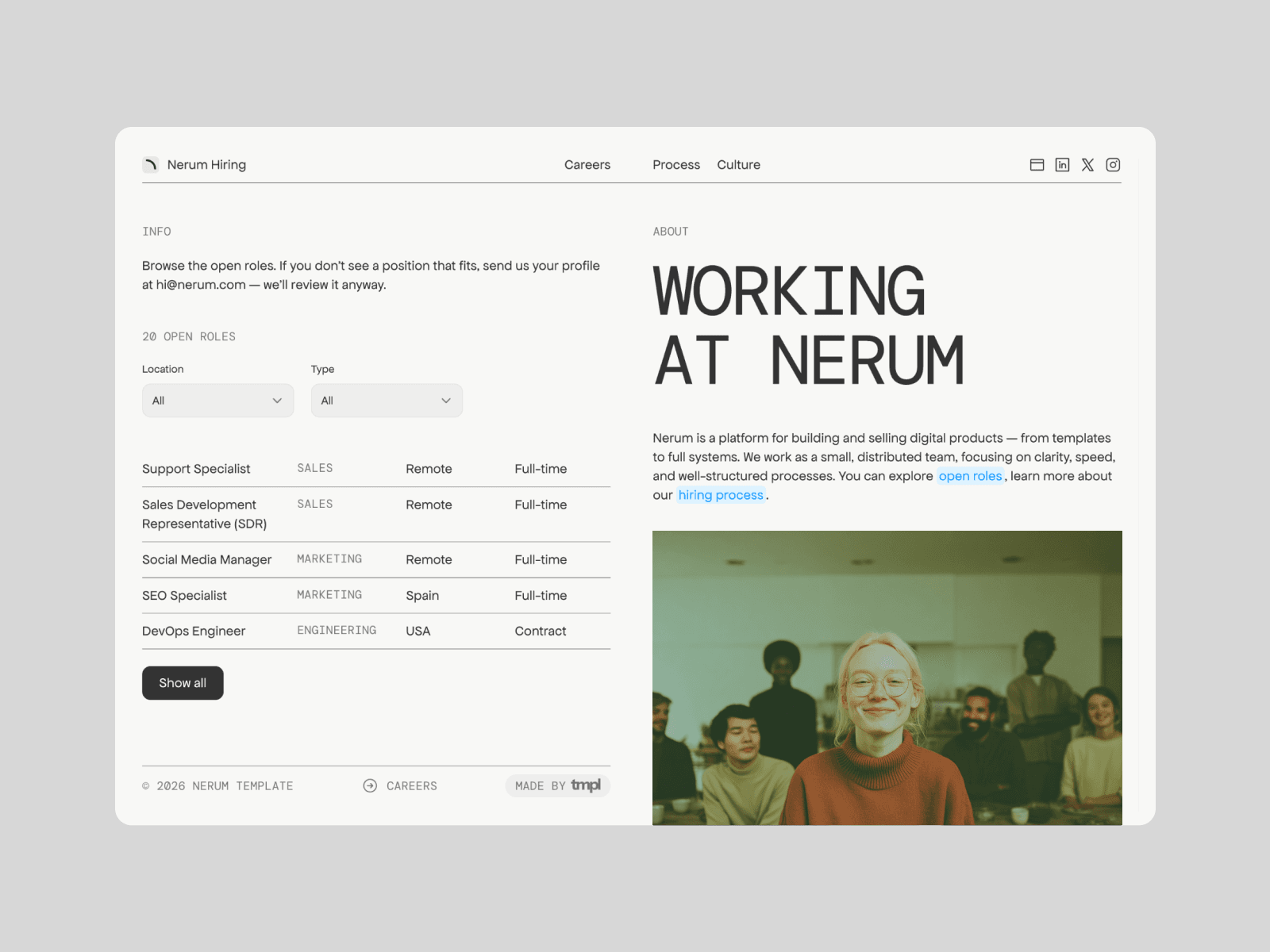
Nerum is a careers site template with six pages: Home, Careers, a Job Post page driven by the CMS, Culture, Process, and a 404. The design is split-screen and editorial, with the kind of restraint that reads as a company that has its act together. It's content-first on purpose. A careers page is a sales page where the product is the job, and the copy carries more weight than the visuals.
Nerum is free to use. All Access at $199 lifetime (regular price $249) unlocks all seventeen current TMPL templates, including the paid ones, for unlimited projects.
Job posts are CMS items, not rebuilds
Every role is a CMS item. You fill in the fields, publish, and the job appears in the listings with the same layout as every other post. Candidates can filter by location and role type, and the filters run on CMS fields, so they stay correct as roles come and go. When a position closes, you unpublish one item instead of editing a page.
If you've ever maintained job listings as hand-built pages, this is the difference between editing a spreadsheet and editing a poster.
Culture and process pages do the filtering
The Culture page covers team conditions, working style, and company values. The Process page lays out your hiring stages with a timeline. Together they do a quiet but useful job: filtering. A candidate who reads how you work and doesn't like it won't apply, which saves both sides a round of interviews. And publishing your hiring stages kills most of the "what happens next?" emails before they're written.
What a careers page actually needs
Template aside, the careers pages that work share a few habits. Role pages say what the job is in plain terms, with scope and a salary range if you can publish one; vague listings attract vague applications. The process has named stages and honest timelines, because "we reply within a week" beats "we'll be in touch" every time. There's a face somewhere on the page, since people join people. And each job post has exactly one call to action.
If the careers page is part of a bigger site project for a consulting firm or an agency, I keep a separate guide on templates for consultants and agencies. If you're pre-launch and want to collect interest before the roles exist, a coming soon page with a waitlist form does that job. And if you're on the other side of the table and need your own site, I wrote about resume and CV templates too.
FAQ
Is there a free Framer template for a careers page? Yes, Nerum. It ships with six pages, CMS job listings you can filter by location and role type, a culture page, and a hiring process timeline. Thirteen of the seventeen templates in the TMPL catalog are free; here's what free templates include.
Which Framer plan does Nerum need? Basic, from $10 a month on annual billing. The full breakdown of what each plan includes is in the pricing guide.
How do I add a new job opening? Each role is a CMS item. Fill in the title, location, role type, and description, hit publish, and it shows up in the listings with the same layout as the rest.
Can candidates filter the job listings? Yes, by location and by role type. The filters read the CMS fields, so new roles sort themselves in.
Do I need to code to customize it? No. Text, colors, images, and layouts are all edited visually in Framer. The how to edit a Framer template guide walks through the workflow, and Does Framer require coding covers what code is and isn't needed for.