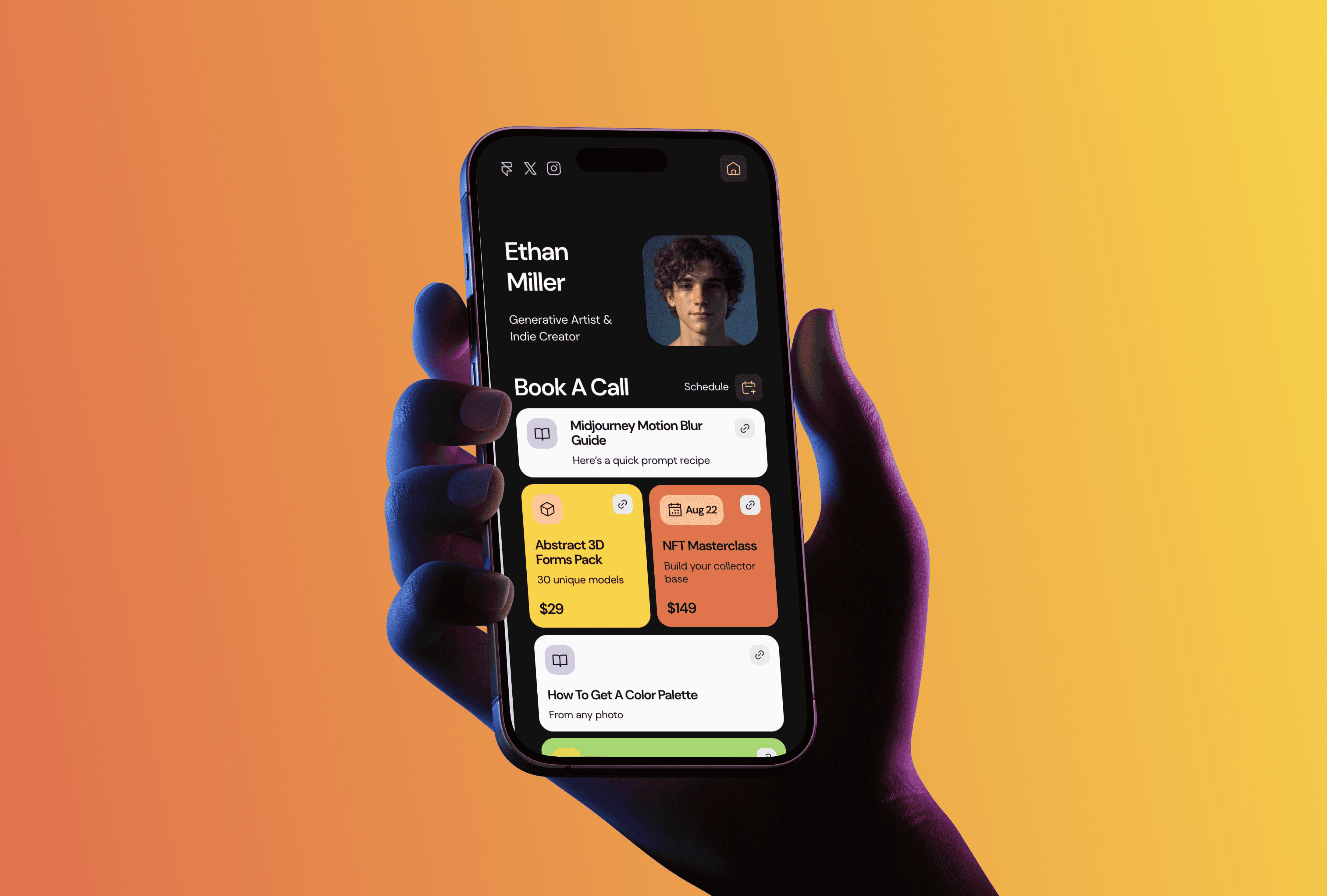
I run TMPL, a small studio making Framer templates, and the most personal template in the catalog is also the smallest one: a link in bio page. People keep searching for "framer link in bio template," land on it, and ask me the same questions. So here is the full picture: what the template includes, what it costs to run, and when a one-page bio site stops being enough.
Why build your link in bio in Framer
Most bio links live on Linktree or one of its clones. That works until you want your page to look like you, not like a subscription service. A link in bio page built in Framer is a real website: your own domain, your own fonts and colors, and analytics that you control. Nobody puts their logo at the bottom of your page once you are on a paid plan, and nobody deletes your account because a link tripped a filter.
There is also a practical difference. Bio tools give you a column of buttons. A Framer page can hold anything a website can hold: embedded video, a project gallery, a newsletter form, even a blog. If your bio link is the first thing people tap after finding you on Instagram or X, it makes sense for that page to do more than redirect.
LinksPage: the free template

LinksPage is my free link in bio template. It looks like a familiar links column at first glance, but it runs on two CMS collections, one for projects and one for blog posts. You add a project or an article once, and it shows up as a card on your page, so nothing gets copied between pages by hand.
The cards come in four types: Link, Event, Image, and Full Image. You can mix them, reorder them, and pick which items get featured on the homepage. The template ships with six pages: Home, Projects, a CMS-driven project page, Blog, a CMS-driven article page, and a 404. Everything is responsive, and the card layouts adapt on mobile, where most bio traffic comes from anyway.
Customization is the usual Framer editing: click the text, type, swap icons, change colors. If you have never touched a template before, my guide on how to edit a Framer template covers the basics in about ten minutes.
What it costs to run
The template itself is free. What you pay for is Framer hosting, and here the answer depends on how picky you are.
LinksPage is free. Framer's free plan publishes your page on a framer.website subdomain with a small "Made in Framer" badge. For a custom domain and CMS headroom you need the Basic plan, from $10 a month on annual billing.
A bio page on a free subdomain is a legitimate option while you test things. Once the page becomes the main link in your Instagram or X profile, most people want to connect their own domain and remove the badge, and that is where Basic comes in. For a full breakdown of the plans, see what Framer actually costs in 2026. Compared with Linktree Pro at roughly the same price, you get a whole website builder instead of a buttons column.
If you are weighing free against paid more broadly, I wrote about free Framer templates and the point where paid starts to make sense.
Setting it up in an afternoon
The honest timeline: under an hour for a basic version, an afternoon if you write proper descriptions for your projects.
Open the LinksPage page and hit Use for Free. Framer copies the template into your workspace. Replace the avatar and intro text, then go through the cards: delete the ones you do not need, duplicate the ones you do, and point each Link card at your actual profiles and products. The Projects and Blog collections are optional. If you only need links, delete those sections and the page gets even lighter. Publish, and your page is live on a subdomain before you have decided on a domain name.
When one page stops being enough
A bio page has a natural ceiling. If people start asking for your portfolio, rates, or case studies, a column of cards will feel cramped. The upgrade path inside the same tool is short: pick a bigger template and move your content over.
In my catalog the usual next steps are Julian, a creator portfolio built around social content, Simpolio, a minimal portfolio for designers, and OutlineCV, a resume and case study site. All three are free, so the experiment costs nothing but an evening. The full template catalog has seventeen templates as of now, and All Access covers all of them, current and future, for a one-time $199.
FAQ
Is there a free link in bio template for Framer? Yes. LinksPage is free, includes projects and blog collections, and you can publish it on Framer's free plan.
Do I need a paid Framer plan to use it? No, the free plan works with a framer.website subdomain. You need Basic, from $10 a month billed annually, for a custom domain.
Is a Framer bio page better than Linktree? Different trade-off. Linktree is faster to start; Framer gives you your own domain, full design control, and room to grow the page into a real site.
Can I add a blog to my link in bio page? Yes. LinksPage ships with a blog collection and a CMS-driven article page, which is rare for bio templates.
Can I sell products from it? You can link out to Gumroad, Lemon Squeezy, or any checkout from the Link cards. For an actual storefront you would move to a bigger ecommerce template.